

E Shram card download by mobile number, Aadhaar number and UAN. Learn how to download e Shram card easily step by step in 2026.
E Shram Card Download 2026
To download your e-Shram card, you can use the official e-Shram Portal by logging in with your Aadhaar-linked mobile number, Aadhaar number, or your Universal Account Number (UAN).
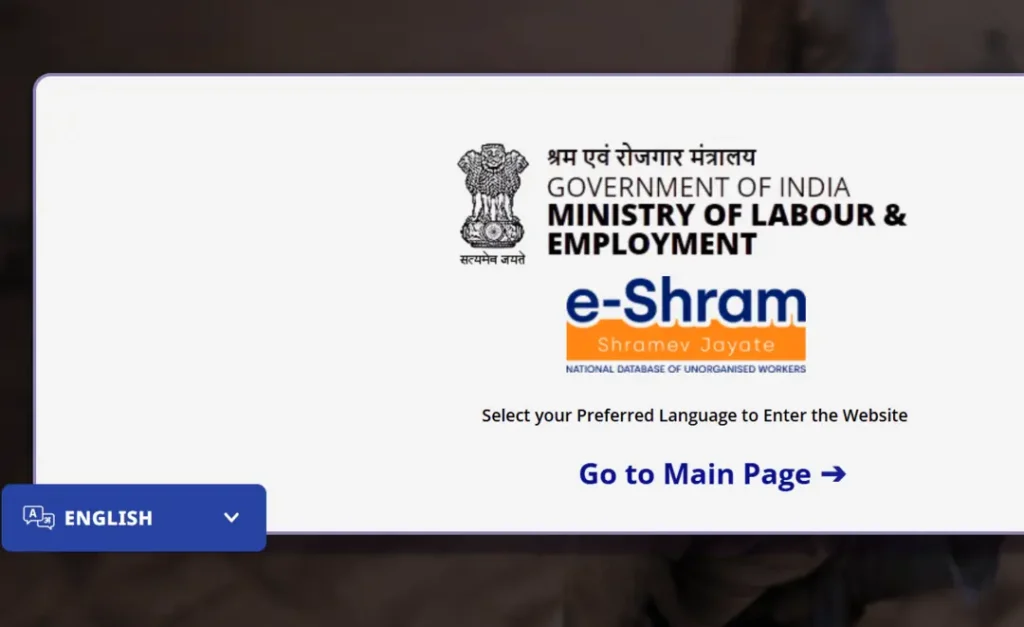
Methods to Download e-Shram Card Online
- E Shram Card Download by Mobile Number or E Shram Card Download by Aadhaar Number:
- Visit the e-Shram Portal and click on the ‘Already Registered – Update’ link.
- Enter your Aadhaar-linked mobile number and the captcha code, then click ‘Send OTP’.
- Enter the OTP received on your mobile.
- Provide your 12-digit Aadhaar number, select the ‘OTP’ authentication method, and submit.
- Enter the second OTP sent to your Aadhaar-registered mobile and click ‘Validate’.
- Select ‘Download UAN Card’ from your dashboard to save it as a PDF.
- By UAN (Universal Account Number):
- Go to the portal and select ‘Login Using UAN’ under the ‘One Stop Solution’ tab.
- Enter your 12-digit UAN, Date of Birth, and the captcha code.
- Click ‘Generate OTP’, enter the code sent to your registered mobile, and click ‘Validate’.
- Click ‘Download UAN Card’ to view and save your card.
Other Ways to Access Your Card
- E Shram Card Download by Mobile Number And Mobile App: You can download the eShram App from the Google Play Store to access your card directly on your phone.
- Offline (CSC Centers): If you do not have an Aadhaar-linked mobile number, visit a Common Service Centre (CSC) to download your card via biometric (fingerprint) authentication.
- Government Apps: Your card may also be available for download through DigiLocker or the UMANG App if previously linked.
Quick Assistance
For help with errors or a forgotten UAN, call the national helpdesk at 14434 or 1800-889-6811.
Do you have your 12-digit UAN or Aadhaar-linked mobile phone ready to begin the download process now?
E Shram Card Download by Mobile Number
To download your e-Shram card using your mobile number, you must use the number that is linked to your Aadhaar card. You can complete this process directly on the official e-Shram Portal.
Steps to Download E Shram Card Download by Mobile Number
- Visit the Portal: Go to the official e-Shram website and click on the ‘Already Registered – Update’ link.
- Enter Mobile Number: On the login page, enter your Aadhaar-linked mobile number and the captcha code shown on the screen.
- Verify OTP: Click on ‘Send OTP’. You will receive a One-Time Password on your mobile. Enter this OTP and click ‘Submit’.
- Aadhaar Authentication: Enter your Aadhaar number and select the ‘OTP’ option for authentication. Enter the captcha and click ‘Submit’.
- Final OTP Verification: You will receive another OTP on your Aadhaar-linked mobile number. Enter it and click ‘Validate’.
- Download UAN Card: Once your profile opens, you will see two options: ‘Update Profile’ and ‘Download UAN Card’. Click on ‘Download UAN Card’ to view and save your card as a PDF.
Key Requirements
- Aadhaar Number: You must have your 12-digit Aadhaar number ready.
- Linked Mobile: The process requires receiving OTPs on the mobile number registered with your Aadhaar.
- Age Limit: Only workers aged between 16–59 years are eligible for the e-Shram card.
If you have forgotten your UAN number, you can also use the ‘Know Your UAN’ feature on the Self-Registration portal by using your mobile number and Aadhaar details.
E Shram card download by Aadhaar number
To download your e-Shram card using your Aadhaar number, you must follow a two-step verification process on the official portal. Since the system requires a secure login, you first verify your mobile number and then authenticate using your Aadhaar.
Steps to Download using Aadhaar
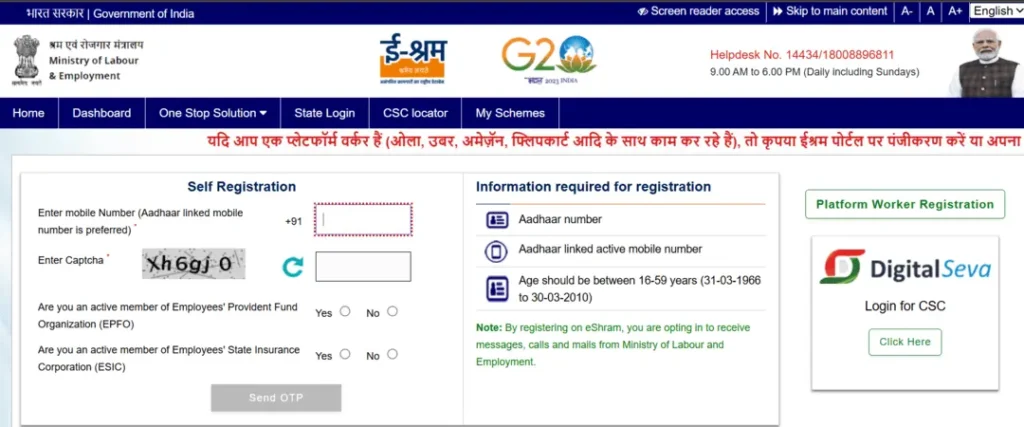
- Go to the Official Portal: Visit the e-Shram Portal and select the ‘Already Registered – Update’ option.
- Initial Mobile Login:
- Enter your Aadhaar-linked mobile number and the captcha code.
- Click ‘Send OTP’ and enter the code received on your phone.
- Aadhaar Authentication:
- On the next screen, enter your 12-digit Aadhaar number.
- Select the ‘OTP’ authentication method (this is the standard way to download via Aadhaar).
- Enter the captcha and click ‘Submit’.
- Final Verification: Enter the second OTP sent to your Aadhaar-registered mobile number and click ‘Validate’.
- Download the Card:
- Your dashboard will show two options: ‘Update Profile’ and ‘Download UAN Card’.
- Click on ‘Download UAN Card’ to open the PDF of your e-Shram card, which you can then save or print.
Important Things to Know
- Biometric Option: If your mobile number is not linked to your Aadhaar, you cannot download it online yourself. You must visit a Common Service Centre (CSC) to authenticate using your fingerprint (biometrics).
- Cost: Downloading the card from the official government website is completely free.
- Digital Alternatives: You can also access your e-Shram card through the UMANG App or DigiLocker if you have already linked your Aadhaar there.
Do you have your Aadhaar-linked mobile phone with you to receive the OTP, or would you like to find a nearby CSC center for biometric download?
How to Download E Shram Card with UAN Number
To download your e-Shram card using your Universal Account Number (UAN), you can use the official portal’s direct UAN login feature. This is often faster than the Aadhaar-based method if you already have your 12-digit UAN ready.
Steps to Download using UAN Number
- Visit the e-Shram Portal: Go to the official e-Shram website and navigate to the ‘Already Registered’ section or the ‘One Stop Solution’ tab.
- Select UAN Login: Choose the option ‘Login Using UAN’.
- Enter Credentials:
- Provide your 12-digit UAN number.
- Enter your Date of Birth as per the records.
- Fill in the captcha code shown on the screen and click ‘Generate OTP’.
- Verify OTP: Enter the One-Time Password sent to your registered mobile number and click ‘Validate’.
- Access Dashboard: After logging in, you will see your profile options. Click on the ‘Download UAN Card’ link.
- Save as PDF: The card will appear on your screen. Click the ‘Download’ button at the top to save it to your device.
Alternative: Using the eShram App
You can also download your card via the eShram One Stop Solution App. Google Play
- Open the app and select Login using UAN.
- Verify with your mobile number’s OTP.
- Once logged in, use the ‘Download UAN Card’ feature to save it directly to your phone.
Helpdesk Support
If you face errors during the download, you can contact the national helpdesk at 14434 or 1800-889-6811 (available 9:00 AM to 6:00 PM).
Do you have your 12-digit UAN handy, or do you need help finding your UAN number using your Aadhaar details first?
E shram card download by mobile number, Download e Shram Card, E Shram card download by Aadhaar number, download e shram card by aadhaar number, how to download e shram card with uan number, how to download e shram card,
FAQs
How to download e-Shram card by mobile number?
You can download it by verifying OTP using your Aadhaar-linked mobile number.
Can I download e-Shram card using Aadhaar?
Yes, you can download it using Aadhaar with OTP verification.
How to download e-Shram card using UAN?
You can download it by logging in with your UAN number and verifying OTP.
Is e-Shram card free?
Yes, it is completely free to download.
Conclusion
E Shram Card Download by Mobile Number process is now very simple and user-friendly.
👉 You can easily download it using your mobile number, Aadhaar, or UAN
👉 Just make sure OTP verification is completed
Government scheme
Government scheme is a planned initiative or program designed to benefit citizens, often focusing on social welfare, economic development, health, education, and skill development.
Read Also:-
- EWS Certificate: Key Eligibility Criteria, Documents, Validity Apply Online Full Guide
- Samagra ID Update 2026: Sudhaare Varna Ruk Jayegi Sarkari Kaam
- मुफ्त स्कूटी योजना की पूरी जानकारी
- Samagra Portal KYC Kaise Kare – पूरा गाइड
- Invest ₹40,000 in Sukanya Samriddhi Yojana
- बेरोजगारी भत्ता योजना UP | Berojgari Bhatta Yojna
Do you have anything to add to the E Shram Card Download by Mobile Number, Aadhaar & UAN 2026 Please share your thoughts. Tell us your valuable feedback in the comment section below.